


Activity Log Pro v1.2.0 is out — for Free and Premium. This one’s been building for a while, and I’m genuinely excited about it. Where earlier releases added things like Live Sessions and Site Health monitoring, v1.2.0 is about making your activity log something you actually work with every day: knowing who’s behind each entry, documenting what WordPress never saw, and chasing down suspicious activity without clicking through ten screens.
(ChangeLog | User Guide)
User Card
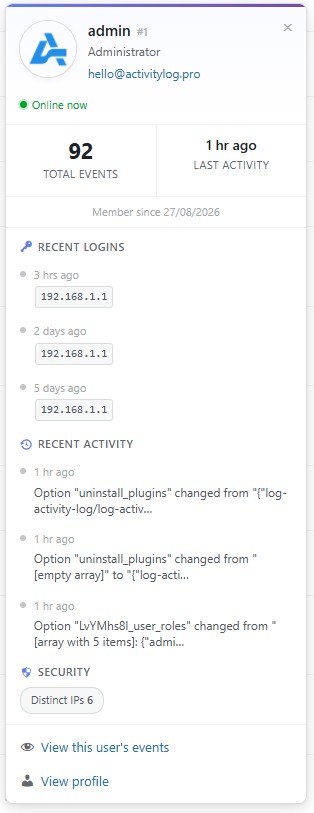
One of the things that always bothered me about activity logs is how anonymous they can feel. You see a username in a row, but getting context meant opening another screen or digging through filters. That changes in v1.2.0.
Click any username in the activity log and a User Card pops open right there. You’ll see whether they’re online, how many events they’ve logged, and a few quick actions to jump straight into what you need. If you’re on Premium, the card goes further — login history, recent activity, and security insights — so when something looks off, you’re not starting from scratch.
Filter by IP
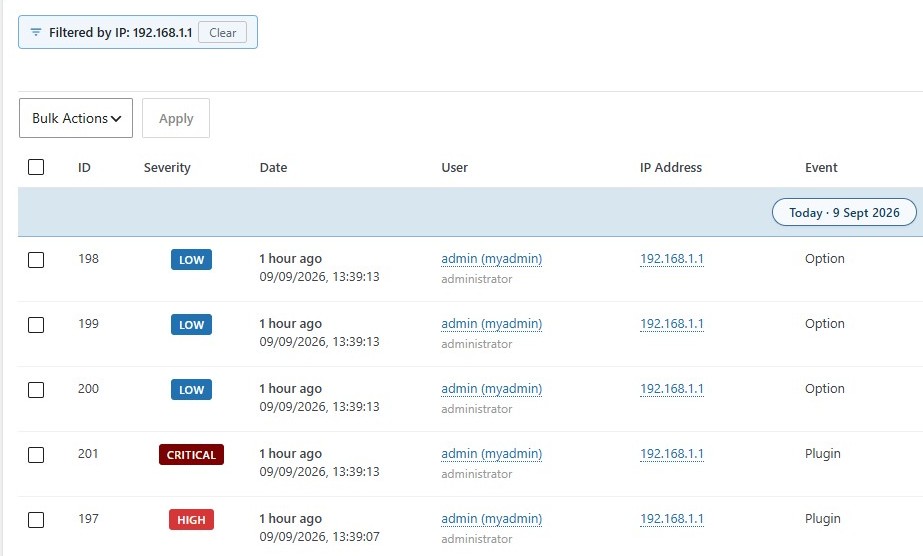
When you’re investigating something suspicious, speed matters. In v1.2.0 you can filter the entire activity log down to a single IP address with one click — either from a log row or from the IP info modal. No copying addresses into search boxes, no manual filter setup. Spot a suspicious login, click, and every event from that IP is right in front of you. It’s a small thing that saves a surprising amount of time when you’re trying to connect the dots.
Recorded Notes
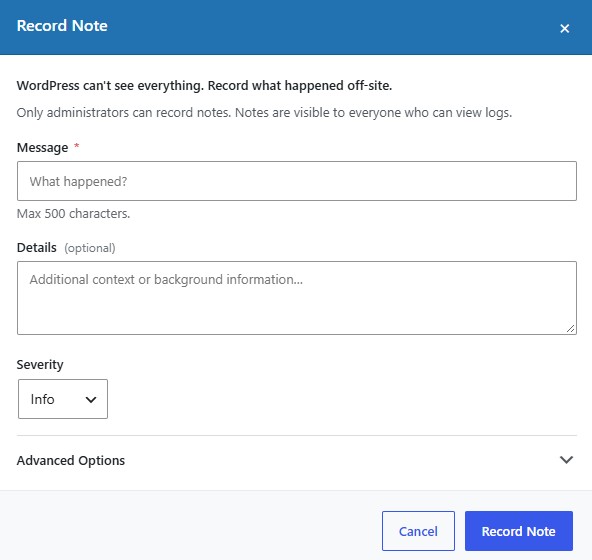
This is probably the feature I’m most pleased with in v1.2.0. WordPress logs what happens inside WordPress — but a lot of important work happens outside it. Server changes, client calls, manual database fixes, work done by someone who doesn’t have a login. Until now, none of that had a proper home in your audit trail.
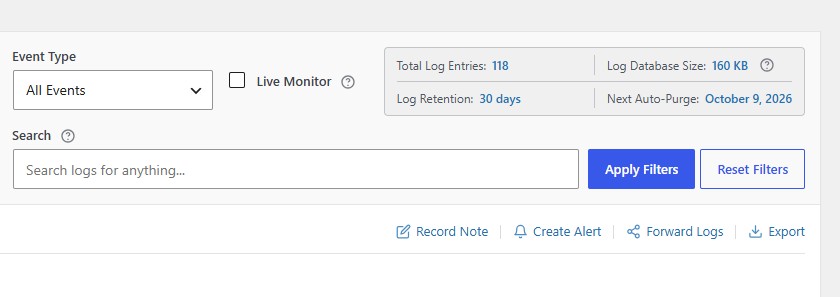
Recorded Notes fixes that. From the new Log Actions Bar on the Activity Logs screen, you can add a note directly to the log with a message, optional extra details, and a severity level. It shows up like any other event — timestamp, your name, the lot — and flows through exports, email digests, Log Channels, and JSON feeds just like everything else.
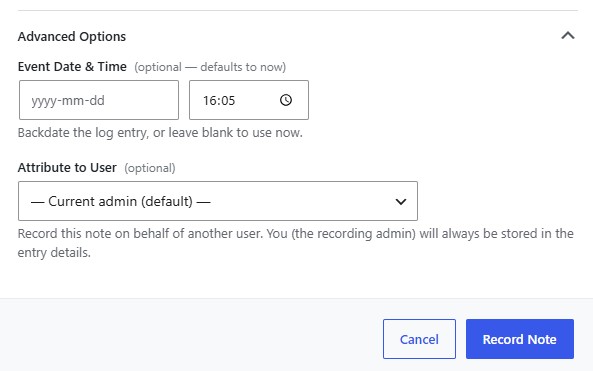
Premium takes it further. You can backdate a note to when the work actually happened, or record it on behalf of another user — useful when you’re documenting something a colleague or client did. The admin who recorded it is always stored separately for audit purposes. And if you mark a note as Critical or High severity, it can automatically trigger a Security Alert email when you have Security Alerts enabled — so important off-site work doesn’t slip through unnoticed.
Richer plugin and theme logging
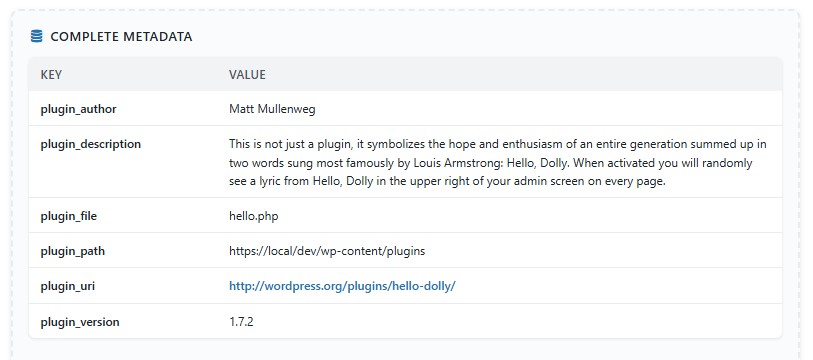
One more thing worth mentioning, even if it’s quieter than the headline features. Plugin and theme events now capture the author, homepage, and description in the event metadata — visible in Complete Metadata, the JSON view, exports, and feeds. Homepage links are clickable too, so when you’re looking at a plugin activation or update, you can see at a glance what it is and where it came from without leaving the log.
Update Now
Activity Log Pro v1.2.0 will show up as an update in your WordPress dashboard shortly. Free users get the User Card, one-click IP filtering, Recorded Notes, the Log Actions Bar, and the richer plugin and theme metadata. Premium users also get the advanced Recorded Notes options — backdating, user attribution, and Security Alert triggers — plus the fuller User Card with login history and security insights.
If you haven’t explored Premium yet, Recorded Notes and the expanded User Card are a good reason to see what’s included: activitylog.pro/pricing →
Thanks for using Activity Log Pro. As always, if you spot anything or have a feature request, I’d love to hear from you.
Enjoy the update! If you find it useful, a 5-star review on WordPress.org goes a long way — it really does help others find the plugin.
And again, a big thank you for using my plugin.
— Darren.